Skip the Lines and Save Time With Online Grocery Ordering at Busch’s
For many families, grocery shopping can take hours and requires significant time and energy. From creating a list, driving to the store, browsing the aisles for each item, checking out, and driving home, a straightforward trip to the grocery store becomes an exhausting ordeal. Busch’s Fresh Food Market helps you save time with online grocery ordering across all our locations in Southeastern Michigan.
Online grocery ordering lets you browse aisles virtually, add your favorite local products to your cart, and check out from the comfort of your home. Using our online grocery ordering service means less stress and more convenience. Learn everything you need to know to skip the line and start saving time, then begin shopping today.
When to Choose Between Grocery Delivery and Pickup Options
Choosing between curbside pickup and home delivery comes down to your daily schedule and personal preference. Learn more about each to determine which one is right for you:
- Curbside Pickup – Curbside pickup is right for many customers who may be running errands, picking up kids from school, or commuting home from work. You simply need to pull into one of the designated spots at your local Busch’s Fresh Food Market, and a friendly team of foodies will load your bagged groceries.
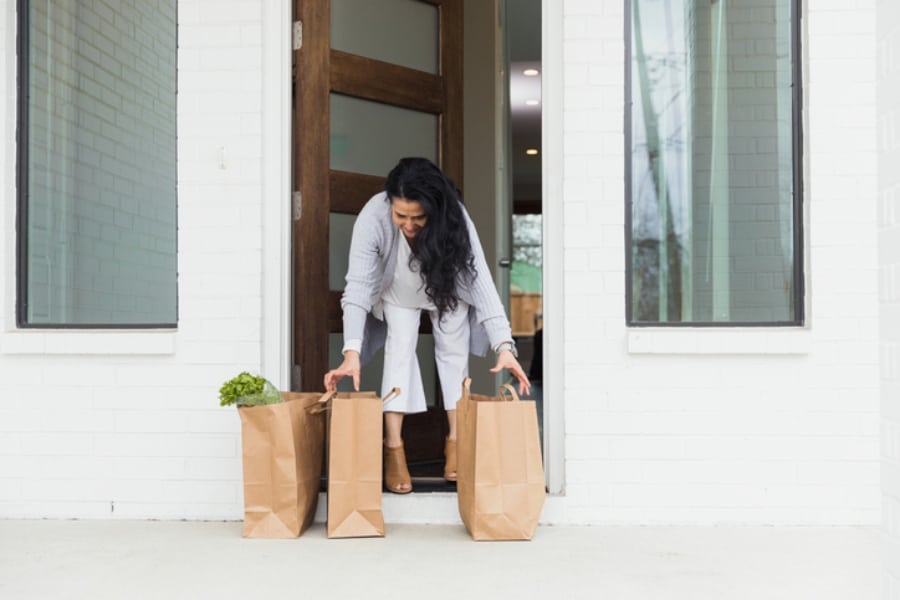
- Delivery – Delivery brings the convenience of grocery shopping right to your doorstep. Whether you’re juggling a busy schedule, feeling under the weather, or simply prefer to shop from home, delivery makes it easy to get the groceries you need without making a trip to the store. Shop online anytime and enjoy fresh groceries delivered directly to your home.
How to Get Started With Your Mobile Order
At Busch’s Fresh Food Market, we make grocery shopping easier with online shopping, delivery, and curbside pickup. Follow these easy, simple steps to get your pantry stocked today:
- Sign In or Create an Account – To begin, log in to Buschs.com or open the mobile app. If you are a returning customer, log in with your email and password. New users will need to create a free account. Having an account allows you to save your favorite store location and track your past orders for easy reordering.
- Add Items to Your Cart – Browse items by category or use the search bar to find a specific product. You can easily shop for everything throughout our store, including fresh produce, premium meats, dairy, and more. You can also add substitutions and notes to each item.
- Apply Digital Coupons – Saving money has never been easier. Plan your trip to Busch’s by browsing our digital coupons section to find significant savings on your favorite brands and products. Clip available offers and promotions with a single tap, and the discounts will automatically apply to your qualifying items during the checkout process.
- Checkout – Once you have everything you need in your cart, proceed to checkout. Here, you will review your items, confirm your payment method, apply online-exclusive offers, choose your bag preference, and decide how you want to receive your groceries.
- Choose a Pickup or Delivery Time – You’ll be prompted to select a convenient time slot. Choosing an accurate pickup or delivery time is essential for maintaining the freshness of your items.
- Pickup – When your selected time window arrives, head to your local Busch’s Fresh Food Market. Follow the signs for online order pickup, park in the designated area, and let the store know you have arrived by calling the number on the sign. An associate will bring your order out and carefully load it into your vehicle.
- Delivery – Prefer to shop from home? Enjoy the convenience of having your groceries delivered right to your door when you shop online with Busch’s. Looking for additional delivery options? You can also place orders through Instacart, DoorDash, and Uber Eats.
Grocery Delivery and Pickup Options FAQ
To make your digital shopping experience as convenient as possible, we’ve answered some of the most common questions our customers have about our online grocery shopping, pickup, and delivery service. Do you still have questions? Contact your local Busch’s Fresh Food Market today, and we’ll be happy to help.
What If An Item Is Out of Stock?
Inventory levels fluctuate throughout the day. Online shoppers who select “No Substitution” will not receive a substitution for the item. However, if “Best Compare” is selected, your personal shopper will text or call you to confirm which substitute is right for you. You can also pick up the specific item you need.
How Do substitutions work?
During checkout, you can specify your substitution preferences. You can allow the shopper to pick the closest alternative, request specific backup items, or choose not to have the item replaced at all. If we make a substitution, you’ll be notified before finalizing your order.
Can I Modify or Cancel an Order?
Yes, you can modify or cancel your grocery order before the personal shopper begins picking your items. Log in to your account, scroll to the bottom to find an option to cancel the order or call the store.
Experience the Convenience and Control of Online Grocery Shopping
Online grocery shopping makes it easier than ever to get the fresh foods and everyday essentials you need, without rearranging your day. Whether you’re at home, at work, or on the go, Busch’s Fresh Food Market gives you the flexibility to shop when it’s convenient for you with easy pickup and delivery options. Simply create a free account, fill your cart, and enjoy a simpler way to grocery shop.